Super Great Cleaning Services
Office Cleaning Ara Damansara: Protect Office Electronics
Prepare workstations for cleaning with clear equipment boundaries, secure documents and device-specific care notes. A short checklist helps staff protect electronics without assuming what a cleaning visit includes.
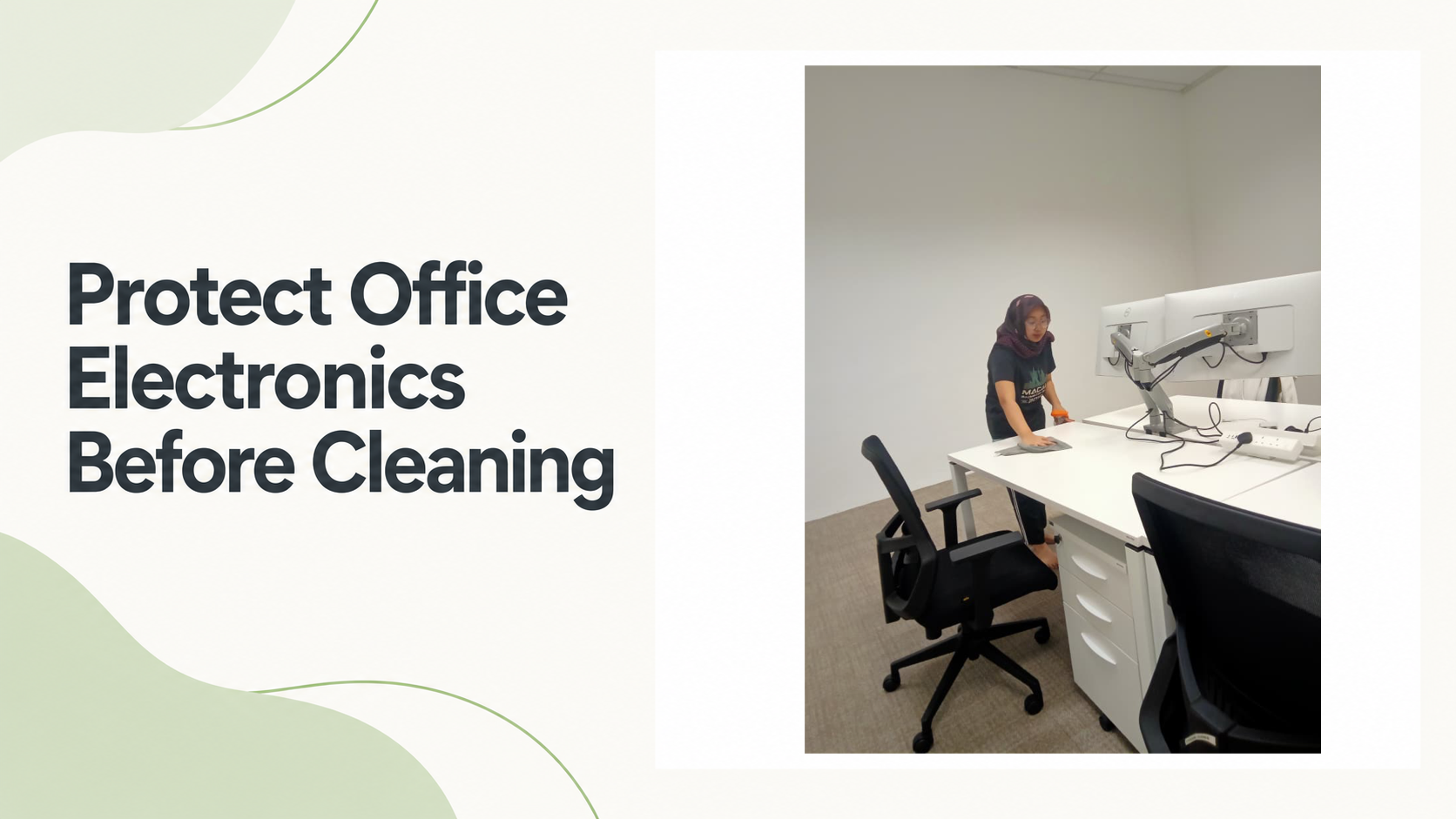
Before an office cleaning visit, secure sensitive papers and removable media, and mark any devices or areas that should not be touched. For screens and other electronics, share the manufacturer’s care guidance and confirm whether those surfaces are within the agreed scope. Super Great Cleaning Services lists office cleaning as a service and Ara Damansara among its business coverage areas; confirm your address and requested tasks directly.
Set a clear touch boundary at each workstation
A desk can hold more than a computer: there may be docks, headsets, chargers, desk phones, external drives and personal accessories beside the keyboard. Decide which items can be moved, which surfaces may be wiped, and which equipment should stay exactly where it is. Avoid leaving those decisions to guesswork on the day.
Make the instruction easy to follow. A short note attached to a workstation or a simple written list can distinguish between an open desk surface and equipment that should not be handled. If a device must be moved to reach a surface, state who is authorized to move it and how it should be returned.
- Okay to clean: name the exposed desk surface or other area, if included in the agreed scope.
- Leave in place: identify monitors, docks, phones or other equipment that should not be moved.
- Ask first: mark items where permission or care instructions are needed.
Secure documents and removable media
Before cleaning, put confidential printouts, notebooks, visitor records and loose storage devices away. Use your organization’s normal storage or disposal process; do not leave sensitive material under a keyboard or assume it will be recognized as private. A clear desk also makes it easier to distinguish the surface from the items that belong on it.
For shared workstations, ask staff to check drawers, trays and docking areas for personal or business materials that should remain secure. If a surface or cabinet must remain closed, label it plainly and include that boundary in the written instructions. Keep the note limited to what the cleaning team needs to know.
Keep cables and connected equipment in place
Cables can be easy to snag when a desk is wiped or rearranged. Before the visit, check that power leads, network cables and peripheral connections sit clear of the surface where possible, without pulling on or disconnecting them. If a setup is delicate or difficult to reconnect, mark it as no-move and explain who should be contacted if access is needed.
Do not ask someone unfamiliar with the workstation to unplug, reroute or reset equipment. Follow your organization’s own procedures for powered devices and cable management. If cleaning around a connection point is part of the request, agree in advance on what can be moved and who is responsible for moving it.
Provide care notes for screens and peripherals
Screens, keyboards and other electronics may have different care instructions. Check the manufacturer’s guidance for each device and share any relevant restrictions with the provider before the visit. If you cannot confirm which method or product is suitable, say so and ask what the provider can accommodate rather than guessing.
Keep care instructions specific to the device. A note might identify the screen model or simply state that the display should not be cleaned until an approved method is confirmed. Do not assume that a general office cleaning request includes computer equipment, or that one cleaning product is suitable for every surface.
Make a quick workstation check before staff return
After the cleaning visit, have the workstation owner check that equipment remains in its expected position and that visible connections have not been disturbed. If a surface is still damp, allow it to dry before placing electronics or paper on it. Report any concern through the workplace’s usual process before switching on or using equipment that appears affected.
This final check is easiest when the original instructions are short and specific. Keep a copy of the agreed equipment boundaries with the office’s cleaning notes, then update it if devices or desk layouts change. The goal is a clear, repeatable handoff for equipment care—not an assumption that every item on a desk is part of the cleaning scope.
Frequently asked questions
Do I need to clear my desk completely before office cleaning?
Put away confidential papers, removable media and personal items that should not be handled. For equipment that remains on the desk, mark what may be cleaned, what should stay in place and what requires approval.
Can a cleaner use ordinary spray on an office monitor?
Do not assume a general-purpose product is suitable for a screen. Check the manufacturer’s care guidance and confirm the approved method with the provider before including the display in the cleaning scope.
Should staff unplug computers before the cleaning visit?
Follow your organization’s procedures and do not unplug or reposition equipment unless you are authorized to do so. If a device needs to be moved for cleaning, agree in advance who will handle it and how it should be reconnected.
How can I show which office devices should not be moved?
Use a short written note or label that clearly says which items must stay in place. Include a contact person for questions and identify who is authorized to move equipment if access is necessary.
A few clear workstation instructions can help protect office equipment while making the cleaning scope easier to understand. Super Great Cleaning Services lists office cleaning and Ara Damansara among its service and coverage information; confirm your specific address, device-care needs and requested tasks directly.
Related articles: part-time maid service Petaling Jaya (PJ): Prepare for a Smooth Home Handover · A Room-by-Room Plan for House Cleaning in Petaling Jaya